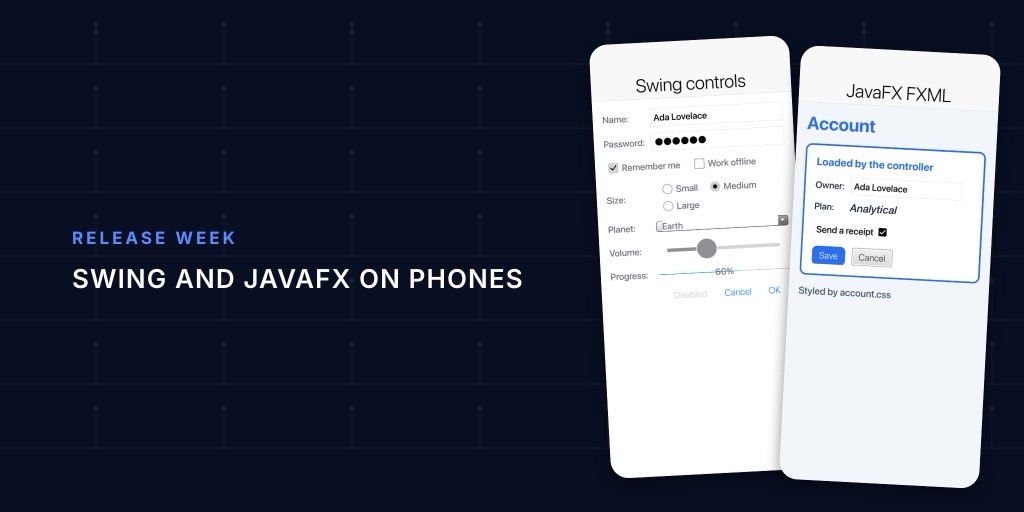
There’s a lot of Swing and JavaFX code in the world. Much of it is internal tooling and line of business software that works fine and that nobody wants to rewrite. Then someone asks for it on an iPad, or in a browser, and the answer has always been “rewrite it.”
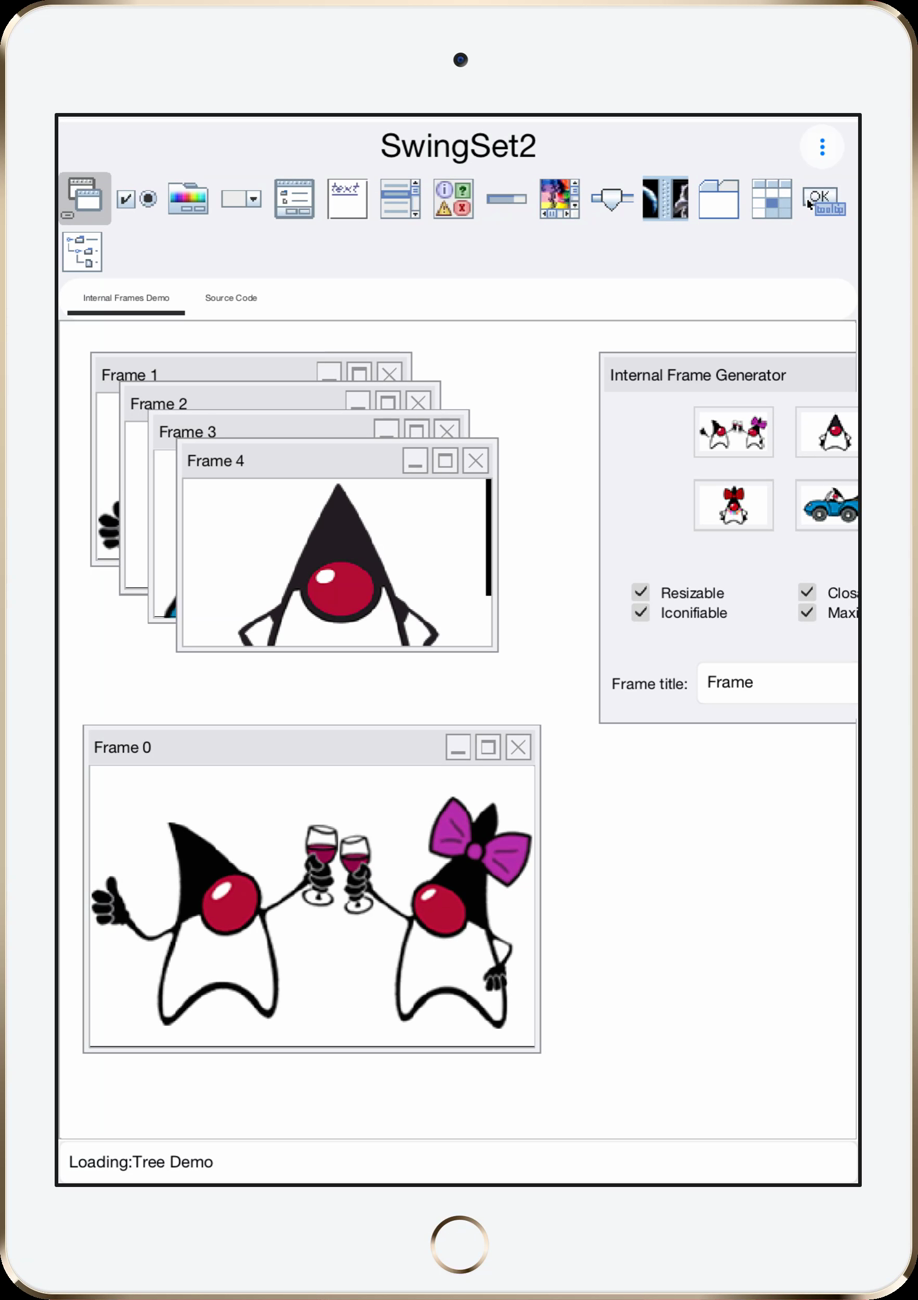
Codename One can now build a large share of that code for iOS, Android, the web and native desktop, as a native app with no JVM inside. SwingSet2 and Notepad, the JDK’s own demos, both build and run. This post shows what carries over, what it costs in size and start-up (less than the JVM), and why the parts that don’t carry over have better replacements in a client app.
What it does
You drop the project’s src/main into a Codename One project, or import it:
mvn cn1:import-desktop-project -Dcn1.desktop.import=/path/to/MyDesktopApp
Your code keeps compiling against the JDK’s own Swing, or against our JavaFX API under the real javafx.* names. A remap step after javac points the bytecode at our implementations of java.awt, javax.swing, java.beans, javax.imageio, a SwingX subset and a JavaFX subset, all written on top of Codename One. FXML files compile to Java classes at build time, and JavaFX CSS compiles to a table. Nothing parses XML on the device.
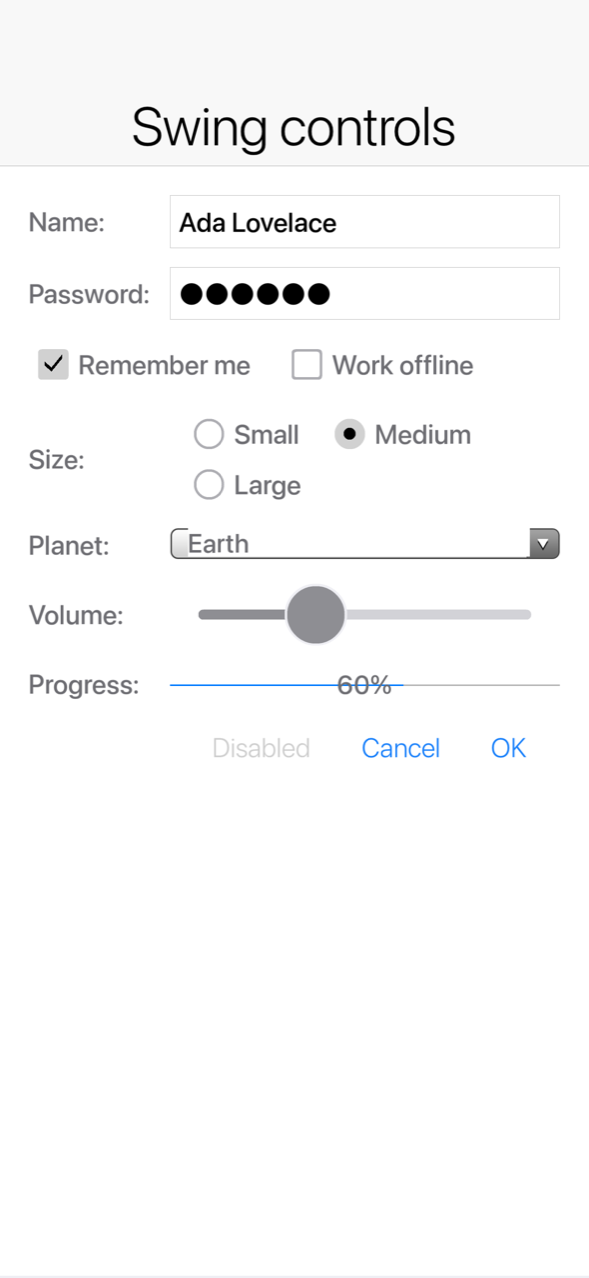
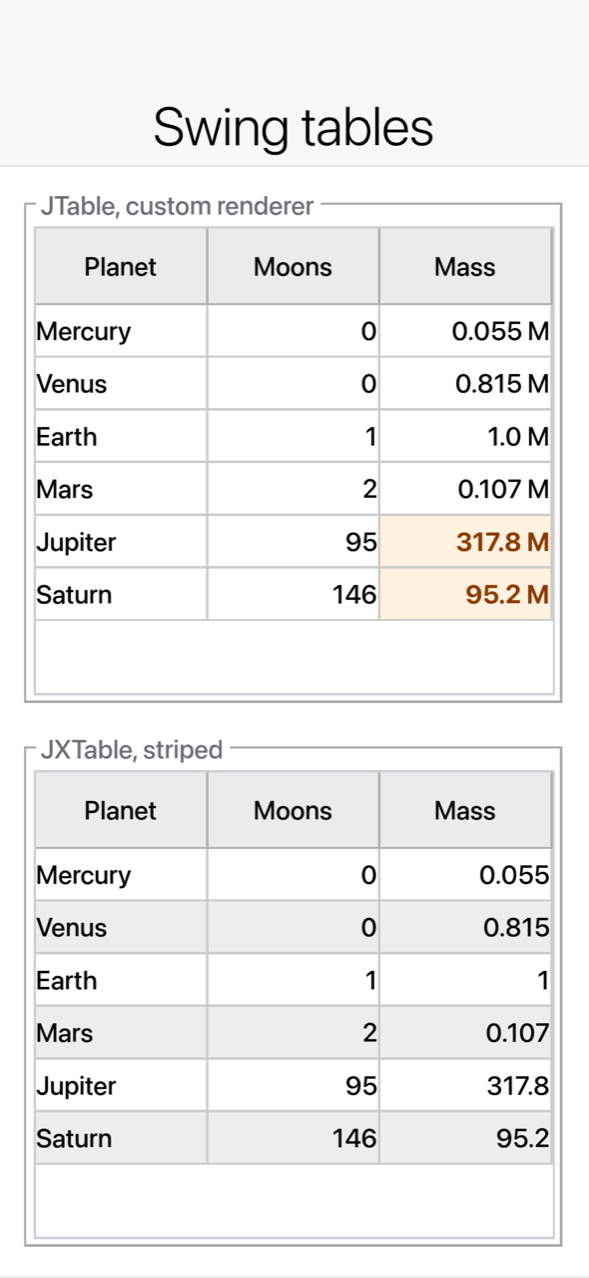
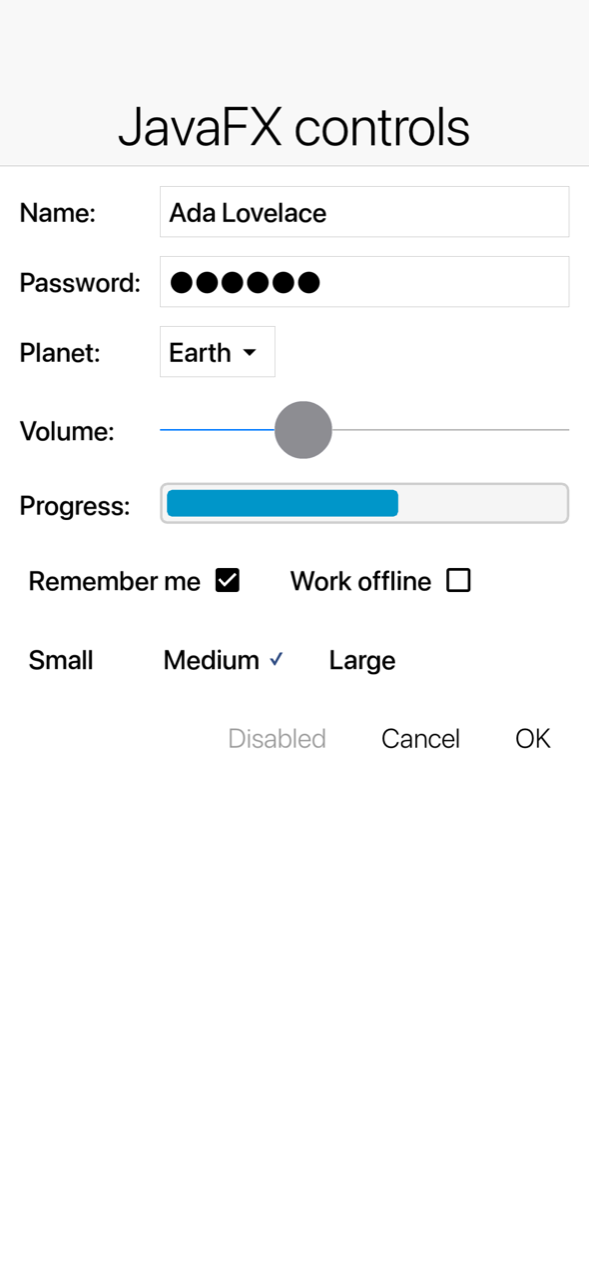
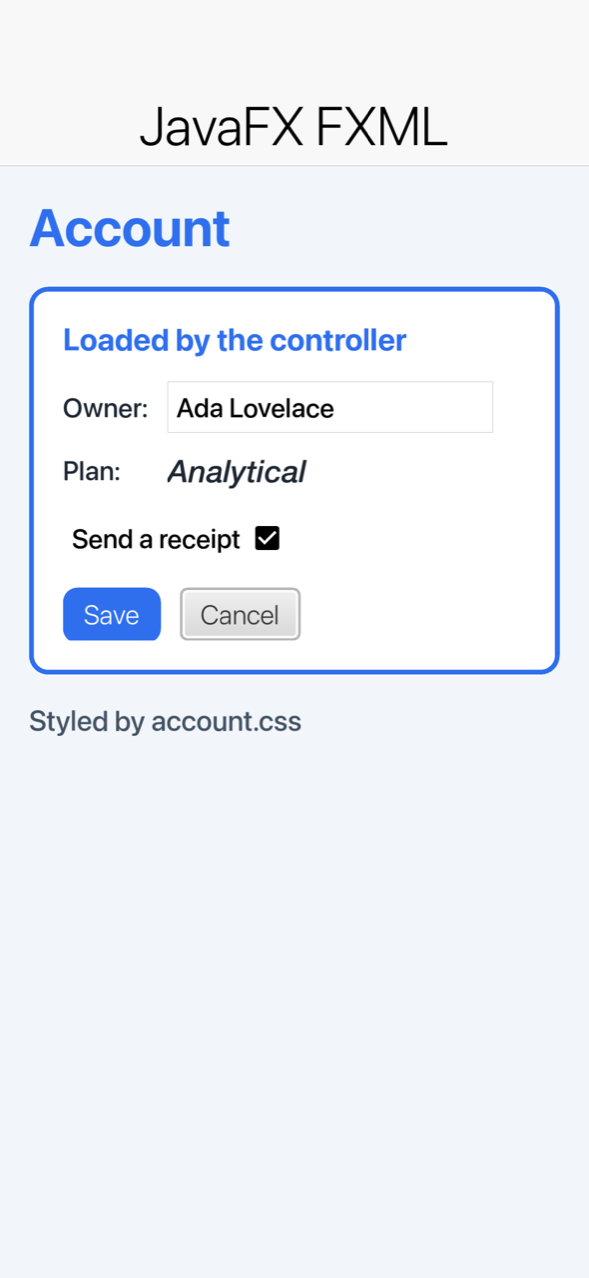
Unmodified desktop code on an iPhone, captured by our screenshot tests.
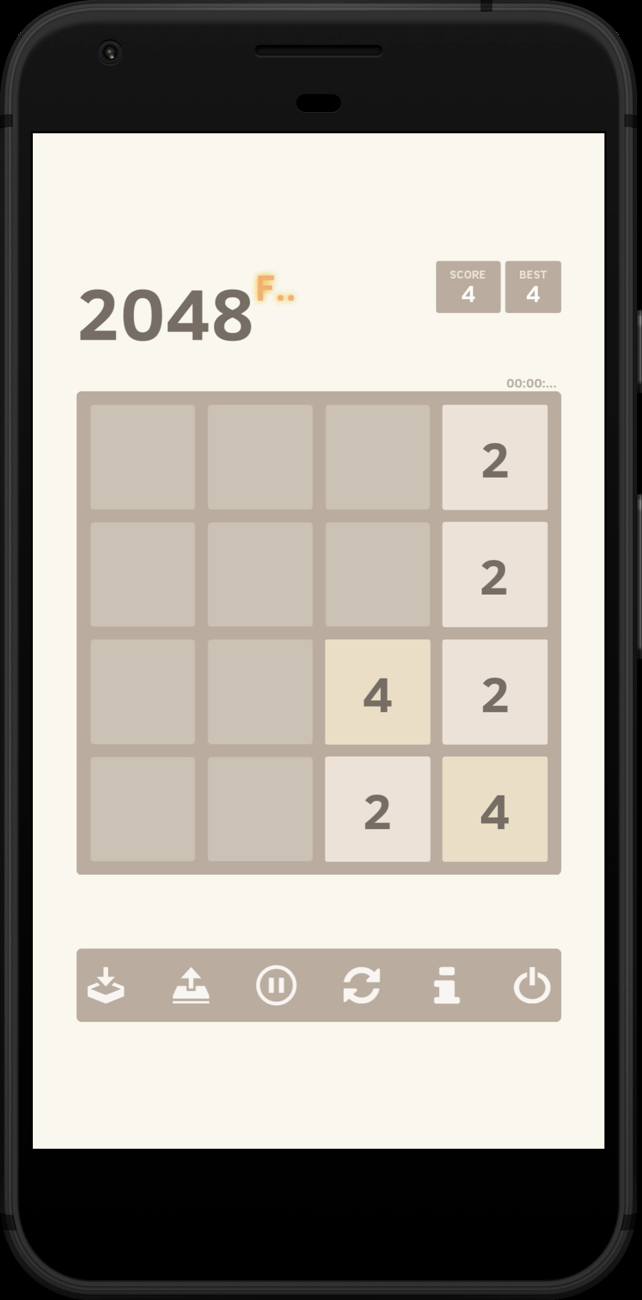
Our test set includes two JDK demos, SwingSet2 and Notepad, along with a Swing gallery, a falling blocks game, a JavaFX gallery, an open source 2048 game, an address book and a Mandelbrot explorer.
The numbers
On Linux, the same app as a jlink image against a Codename One native build:
| Application | JVM image, zipped | Native, zipped | Smaller by |
|---|---|---|---|
| SwingSet2, the JDK demo | 34.1 MB | 8.2 MB | 4.2x |
| Notepad, the JDK demo | 32.8 MB | 6.5 MB | 5.0x |
| JavaFX gallery | 39.1 MB | 7.1 MB | 5.5x |
| Address book (JavaFX) | 39.1 MB | 6.5 MB | 6.0x |
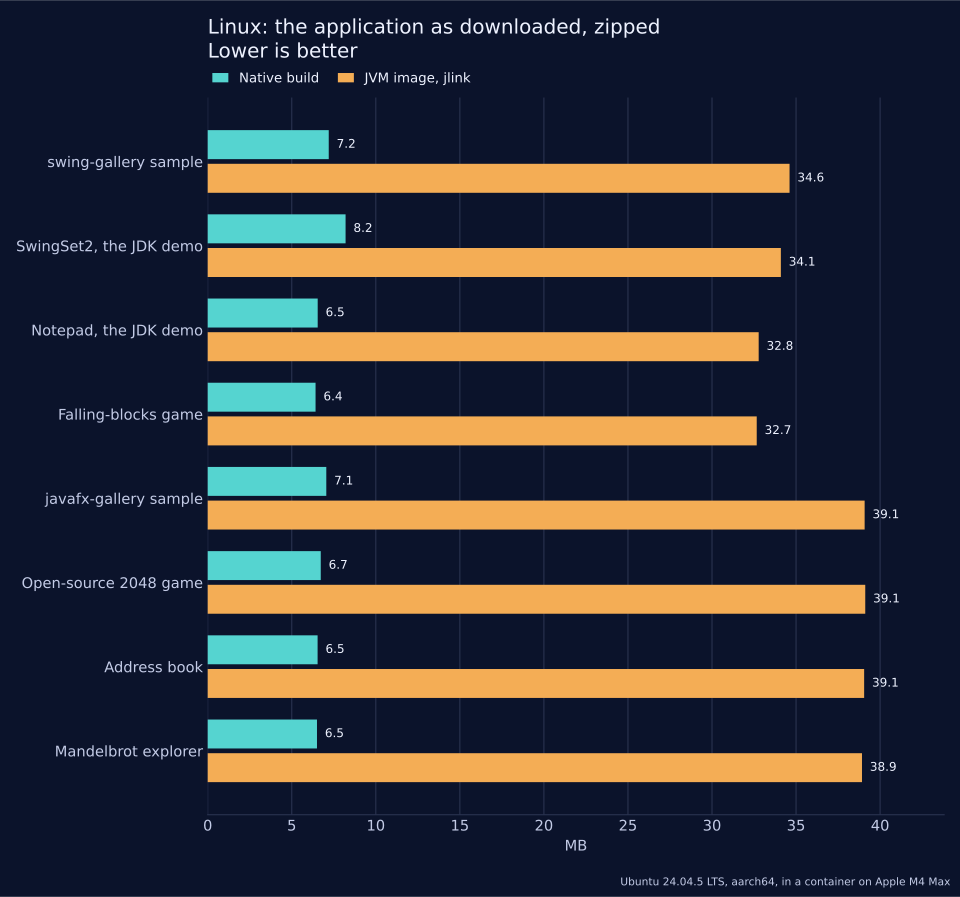
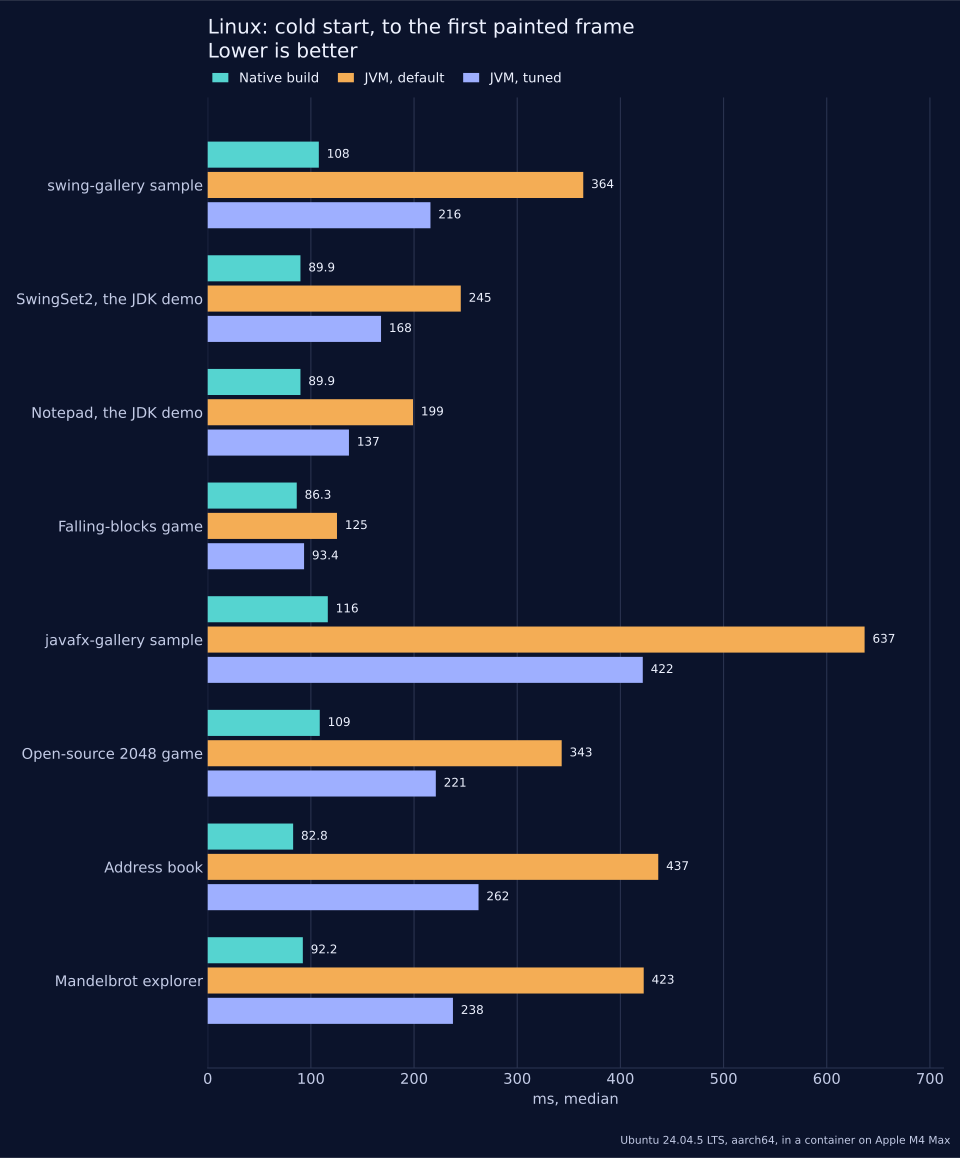
From process start to the first painted frame, the native build starts faster than the default JVM in all 8 apps, by 1.5x to 5.5x. Against a JVM tuned with the serial GC, C1 only and an AppCDS archive, it’s still faster in all 8, by 1.1x to 3.6x. The closest is the falling blocks game, at 86 ms native against 93 ms tuned. The JavaFX gallery starts in 116 ms native against 637 ms on the default JVM. The same apps build for iOS at 25 to 29 MB and as 2.8 to 4.4 MB Android APKs.
Memory is closer than you might expect. At idle the native Swing gallery holds 64.5 MB resident against 84.2 MB on a tuned JVM. After a scripted session of clicks and drags it’s 90.8 MB against 86.0 MB.
What isn’t supported
This is the important part, so here it is without softening:
- No binary drop in. A third party jar that was compiled against
java.awt,javax.swingorjavafxfails the build. We don’t relocate other people’s jars. If the library ships source, you can bring the source. - No class loaders,
ServiceLoader, modules or OSGi. - No runtime reflection.
java.lang.reflectandClass.getMethodare build errors.Class.forNameby string doesn’t work on Android or the web. - No Java serialization,
HttpURLConnection,java.net.httpor raw sockets through these layers. ProcessBuilderdoesn’t exist on a phone. CheckProcessBuilder.isSupported().- Only a subset of the API. Swing is big. When you call something we don’t have, the build tells you exactly what and where:
com/example/OrdersPanel#restyleTree()V -> javax.swing.JTree.getUI() is not
supported by the Codename One Swing compatibility layer
(com/example/OrdersPanel.class) at OrdersPanel.java:48
That error is the point. You find out at build time, on your machine, with a file and line number. You don’t find out from a user on an iPad.
Why pay for what you don’t need?
Look at that list again and ask where those features show up in a typical desktop app. Reflection usually powers a binding framework, a serialization library or a dependency injector. Class loaders power plugins. Serialization powers a cache or a save file.
Codename One does those jobs at build time instead. Binding a form to a model is generated code, with no reflection and no listener bookkeeping:
@Bindable
public class LoginModel {
    @Bind(name = "userField", attr = BindAttr.TEXT)
    @Required
    private String user;
    public String getUser()         { return user; }
    public void   setUser(String u) { this.user = u; }

    @Bind(name = "rememberMe", attr = BindAttr.SELECTED)
    public boolean remember;
}
The same goes for JSON and XML mapping, REST and GraphQL clients and the SQLite ORM. They’re all generated by the build, so they’re type checked, they survive dead code elimination, and they cost nothing at startup. Reflection is what makes a JVM app big and slow to start. Removing it is a large part of why the native build is 4 to 6 times smaller.
What desktop Java never gave you
You don’t have to wait for a phone to get something out of this. On the desktop, today, the same app picks up things Swing developers have fought for years to get, and that JavaFX offers only as its own aging WebKit fork:
- A real browser.
BrowserComponentembeds the system’s engine: WebKit on the Mac, WebView2 on Windows and WebKitGTK on Linux, with two way calls between Java and JavaScript. No bundled Chromium, noJEditorPanerendering HTML 3.2. - The camera.
Capturetakes photos and video from the webcam on macOS, Windows and Linux. In Swing that has meant a native library and a prayer. - Bluetooth LE. The Bluetooth API talks to real devices on all three desktops, so the tool that configures your hardware no longer needs a vendor SDK or a serial port bridge.
- Maps. A vector
MapViewdrawn by Codename One itself, with markers and shapes, the same on the desktop as on a phone. - The web. The same app builds for the browser, so the internal tool people install today can also be a link, with nothing installed.
- Generated network clients. Point
cn1:generate-openapiat an OpenAPI 3 spec and you get a typed client. GraphQL and gRPC have goals of their own, and OAuth and sign in with Google or Apple are built in. - SQLite with an ORM whose mapping mistakes fail the build, CSS styling with light and dark themes and live reload, and a Java backend in the same project, sharing your types.
And when the app does reach a phone, push, biometrics, NFC and location are there too.
SwingInterop.asComponent() and FxInterop.asComponent() wrap a Swing component or a JavaFX node as a Codename One component, so you can migrate one panel at a time and put a Codename One map or camera view next to your existing table.
Try it
The desktop compatibility chapter has the full list of what’s covered, the import steps and the benchmark method. Start with the screen your users ask for on mobile, run the import and read the build errors. They’ll tell you how far you are.
Tomorrow: Bastion: A Hardened Bank Template, and Crypto Wallets in Core.