This post is mostly about phones that don’t have Google at all: GrapheneOS, LineageOS, CalyxOS, /e/OS and other Android builds. Codename One now supports them officially. After that, a shorter update on the Android compatibility layer, which runs existing Android apps on iPhone, desktop and the web.
GrapheneOS, LineageOS, CalyxOS and /e/OS
I was a member of Team OS/2. I know what it’s like to use an operating system the big vendors forgot, and to find that half the apps you need just don’t start. People choose GrapheneOS, LineageOS and other AOSP builds for good reasons, usually privacy, and they deserve apps that work. There’s a business case too: when you support a niche operating system its users have learned to live without, you get the most loyal advocates your product will ever have. They notice, they remember, and they tell each other.
Codename One apps mostly worked on these phones before. But mostly isn’t support: call the wrong API and you could hit a failure, or behavior nobody could predict. Now it’s official, with a clear boundary. One APK serves both kinds of phone: at run time it checks whether Google Play Services is there. No build hint, no flavor, no second build. The Android port never calls Play services, Play Core or Firebase without checking first, and CI enforces that, so a future change can’t quietly break it.
| Feature | With Google Play | Without Google Play |
|---|---|---|
| UI, storage, networking, SQLite, media | Works | Works |
| On device ML Kit models | Works | Works |
| Location and geofences | Fused location | Framework LocationManager |
| Maps | Google Maps | Vector MapView |
| Google sign in | Native | Browser OAuth flow |
| Push | Firebase | UnifiedPush (ntfy, NextPush, Sunup) |
| In-app purchase | Play Billing | Not available |
| Integrity attestation, in-app review | Works | Not available |
The location fallback fixed something on Google phones too: builds without Play location now get proximity alerts and background location through the framework API.
Push, with one line
Push needs one line of configuration, because the phone has no Firebase to deliver it. UnifiedPush lets the user pick the app that holds the push connection, called a distributor. A UnifiedPush endpoint is a standard Web Push subscription, so the Codename One push service delivers to it with the Web Push credential your app already has. You copy its public key into a build hint:
codename1.arg.android.unifiedPush.vapidKey=<your 87 character VAPID public key>
Your app code doesn’t change, and neither does your server. The registration order is automatic:
The one real gap is in-app purchase. Play Billing needs the Play Store. If selling on de-Googled phones matters to you, tell us; it’s something we can add.
To test, use the Android emulator’s AOSP system images, the default target, which have no Google apps. The Android without Google Play chapter has the details.
Also new: classic Android apps, on iPhone
Three weeks ago we showed that an Android Studio module’s src/main can build unmodified as a Codename One app. There’s no Android runtime inside it. Views are Codename One components, layouts follow Android’s measure and layout rules, and resources compile to a binary table at build time. Nothing parses XML or uses reflection on the device. You import a project with one command:
mvn cn1:import-android-project -Dcn1.android.import=/path/to/MyAndroidApp
mvn cn1:build -Dcodename1.platform=ios
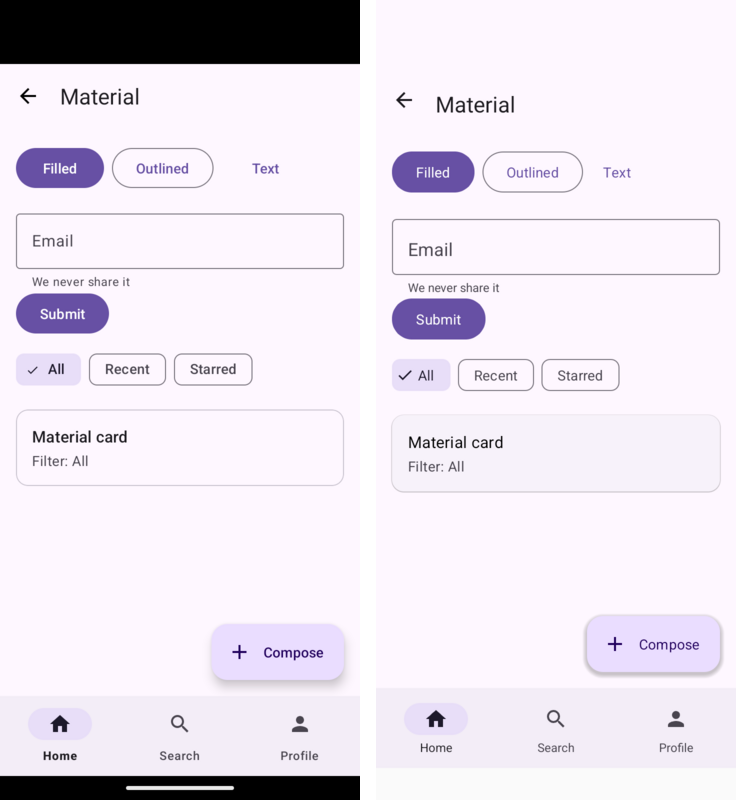
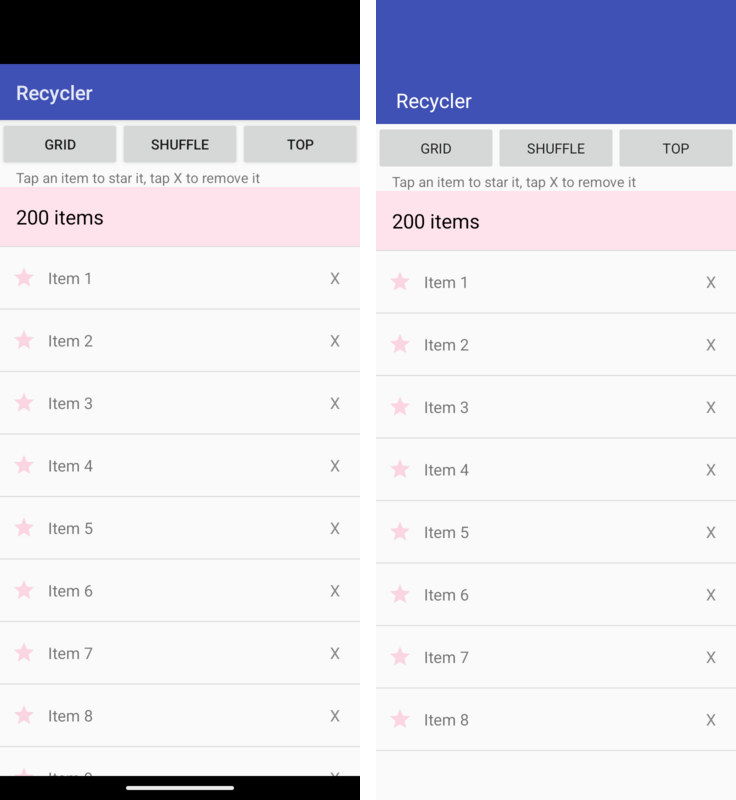
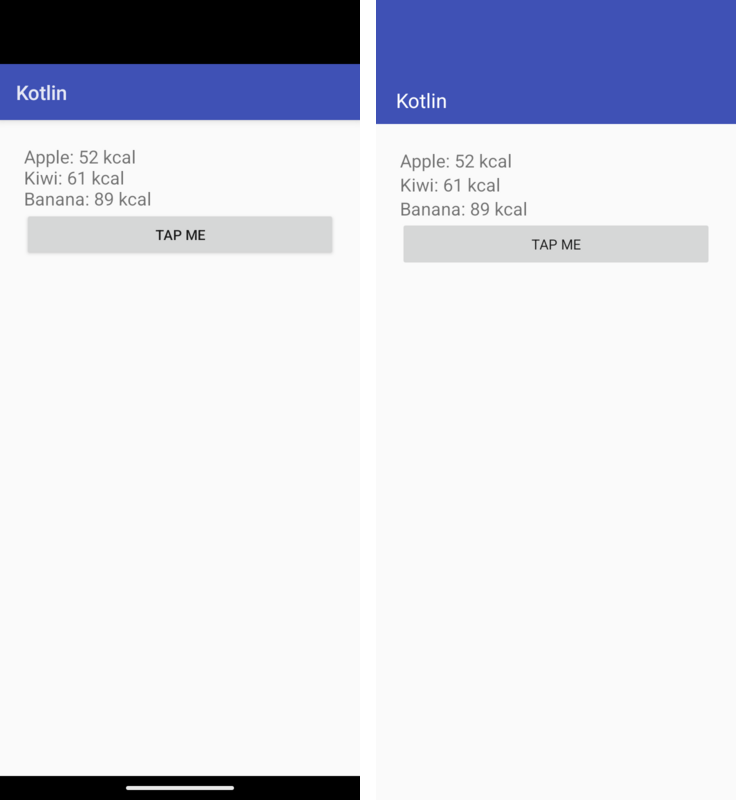
Each pair shows Android on the left and Codename One on the right, from the same source.
What’s new: the parts real apps lean on
Toy apps are mostly UI. Real apps store data, run work in the background and talk to the hardware. The layer now covers those:
- Room. The build generates the
_Implclasses, the way Android’s annotation processor does. Features we don’t support yet (@Relation,suspendDAOs, Flow, Rx, Paging,@AutoMigrationand FTS) fail the build and name the member. - WorkManager. Chains, unique work, retries and LiveData status, persisted across app restarts.
- Location and sensors.
LocationManagerandSensorManager. - Services. Manifest services, including
startForeground()mapped to Codename One’sForegroundService. Notifications fromNotificationManagerandNotificationCompatshow as local notifications. - Keystore. AES keys from
AndroidKeyStorewith GCM and CBC. - Document pickers.
ACTION_OPEN_DOCUMENT,ACTION_CREATE_DOCUMENTandACTION_GET_CONTENT, plus the ActivityResult contracts, open the platform’s native open and save dialogs.
So this is ordinary Android code, and it now runs on an iPhone:
@Dao
public interface NoteDao {
    @Query("SELECT * FROM Note ORDER BY created DESC")
    List<Note> all();

    @Insert
    long insert(Note note);
}

Intent save = new Intent(Intent.ACTION_CREATE_DOCUMENT);
save.addCategory(Intent.CATEGORY_OPENABLE);
save.setType("text/plain");
save.putExtra(Intent.EXTRA_TITLE, "notes.txt");
startActivityForResult(save, SAVE_NOTES);
Where iOS says no
Some Android behavior has no iOS equivalent, and the Android chapter has a table for it. Location in a foreground service keeps running in the background when the manifest asks for background location. Other foreground service work gets only the short window iOS allows. Constrained WorkManager jobs go to iOS’s background task scheduler, and iOS decides when they run. On iOS, ACTION_CREATE_DOCUMENT returns RESULT_OK right away and shows the save dialog when your app closes the output stream, so a cancel isn’t reported back.
Other limits: Keystore keys aren’t hardware backed there, Parcel is an in process container, SQLite uses a single connection, there are no system content providers or broadcasts, and reflection based libraries won’t run on iOS.
Tomorrow, the last post of the week: Caches, Certificates, Streaming Uploads and a Simulator That Types.